
BuzzBridge loads classic Jeskola Buzz generator and effect DLLs and runs them as automatable VST3 instruments and effects — on Windows natively, and on Linux through WINE and yabridge.
Latest release on GitHub
// Features
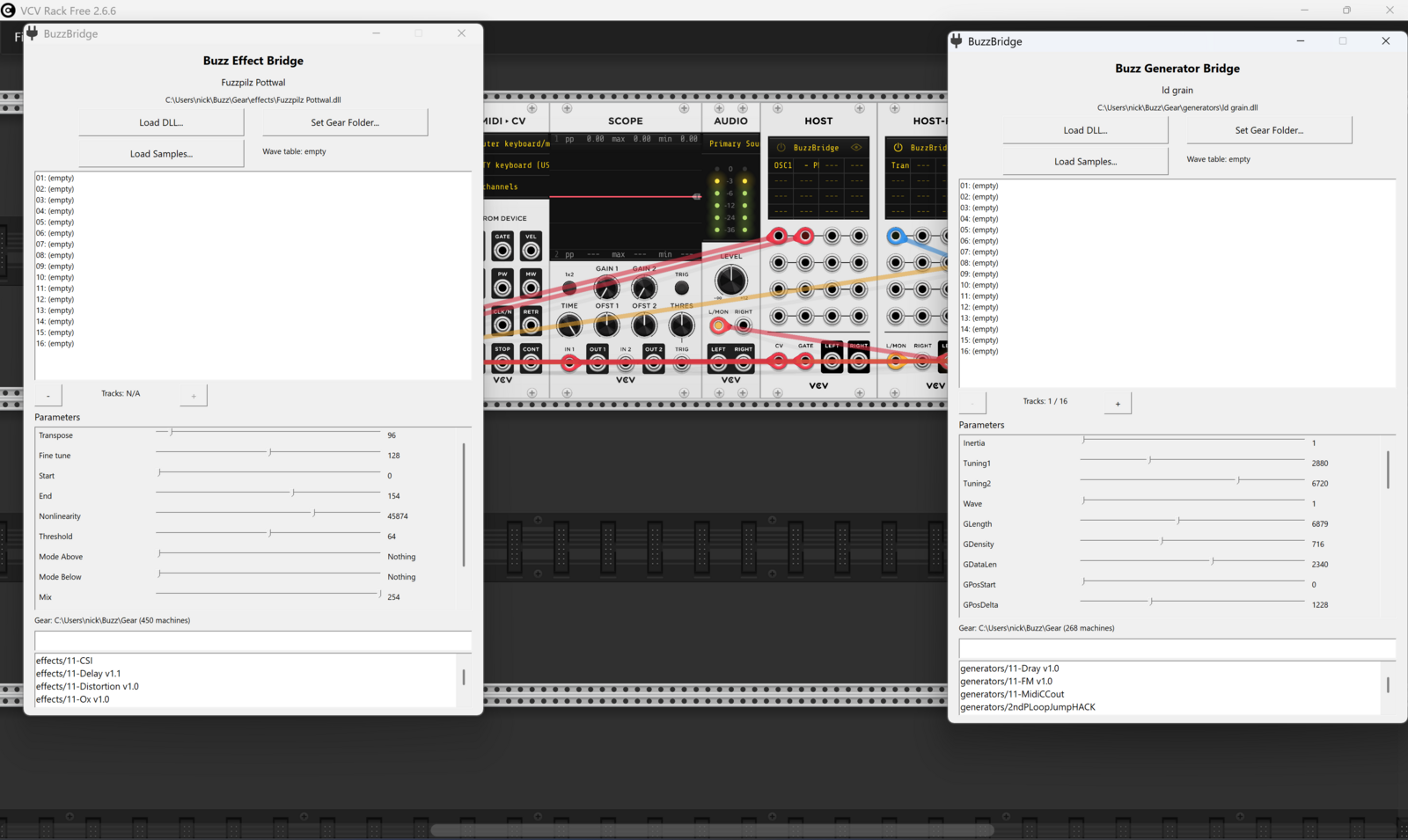
BuzzBridge ships as a single VST3 bundle exposing Buzz Generator Bridge for instruments and Buzz Effect Bridge for effects.
Every Buzz machine parameter is mapped to a VST3 slider with its real name, range, and default.
Notes, velocity, CC (with MIDI Learn), and poly pressure are translated into Buzz's native note and control format.
64-bit hosts load machines through an out-of-process 32-bit bridge with shared-memory audio. A buggy machine can't take down your DAW.
A cross-compiled build runs in Bitwig, Reaper, Ardour, Renoise and others through WINE and yabridge, with a one-step installer.
An optional archive of 726 Buzz machines is published with each release, ready to drop into your Gear folder.
Windows binaries and the installer are code-signed, and the installer registers a standard uninstaller.
// Download
Builds are published on GitHub Releases. The buttons below point at the latest release.
Installer for 32 and 64-bit DAWs. Installs to C:\Program Files\Common Files\VST3\.
BuzzBridge-Setup-vX.Y.Z.exe
Download for WindowsTarball with an installer that sets up a 32-bit WINE prefix and registers the plugin with yabridge.
BuzzBridge-Linux-vX.Y.Z.tar.gz
Download for Linux// Getting Started
You'll need some Buzz machine DLLs — grab the machine database from the release, or point BuzzBridge at your existing Buzz Gear folder.
.exe. On Linux, extract the tarball and run the bundled installer:
tar xf BuzzBridge-Linux-vX.Y.Z.tar.gz
cd BuzzBridge-Linux-vX.Y.Z
./installer.sh
The Linux installer needs yabridge and offers to install WINE with 32-bit support.
Building from source, the bridge architecture, and Linux troubleshooting are covered in the README.